World in Wireframe – BuggaBoo Practise

Even though I started out with this graphics hobby with DazStudio, that software has always been somewhat of a challenge for me and it remains a source of frustration to this day. It wasn’t untill I bought myself my first copy of Poser – version 6 if I can recall – that the whole world of 3D Computer Graphics started to make sense.
I’ve always wondered why. To me it’s MSDos vs Windows. I totally wrecked 3 PC’s trying to figure out MSDos but as soon as I started up a Windows computer I didn’t even have to read the manual. Its the interface, I can’t make heads or tails with that interface that DazStudio uses but since the two worlds merge in some areas I don’t wish to exclude any customer.

I do have DazStudio installed, not the latest-latest version/upgrade with Genesis number whatever but the latest enough. Genesis 8 is the limit for me and I stopped with Victoria 4 since I can’t keep track of the stampede of Victoria’s that are released every year. When it comes to DazStudio, I’ve lost interest in their figures – female, male or otherwise.
But all the Hivewire Figures are compatible with DazStudio and since animal poses are a bit more tricky I really need to learn how to use that UI and at least feel comfortable with it.

So I thought I’d treat myself to a cute little character that uses G8F as a base and start to create some poses for her. I don’t really like any of the grown Genesis 1 to 8 figures that much, I never had the urge to create anything for them and to be honest, browsing the Daz website there are more then enough pose-sets for them around.

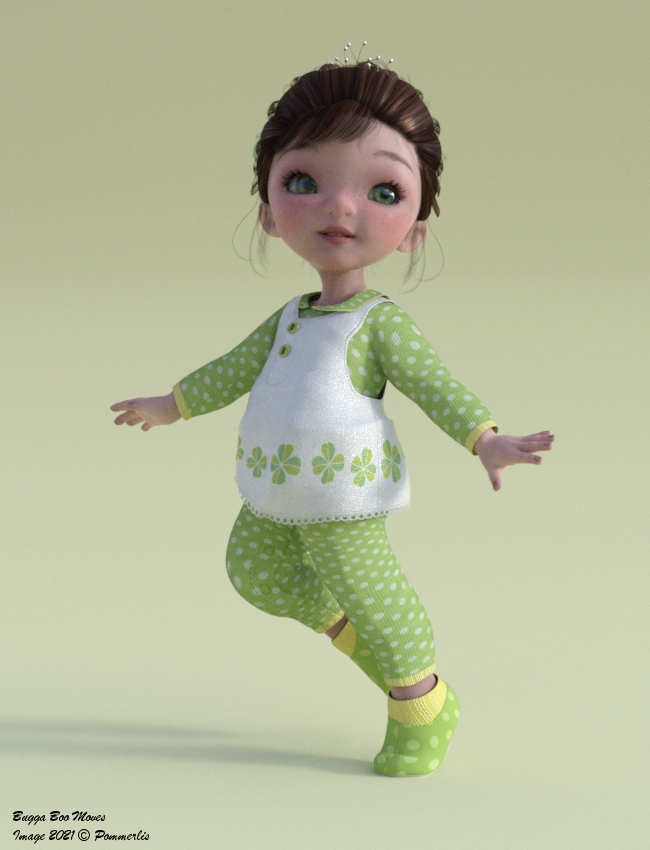
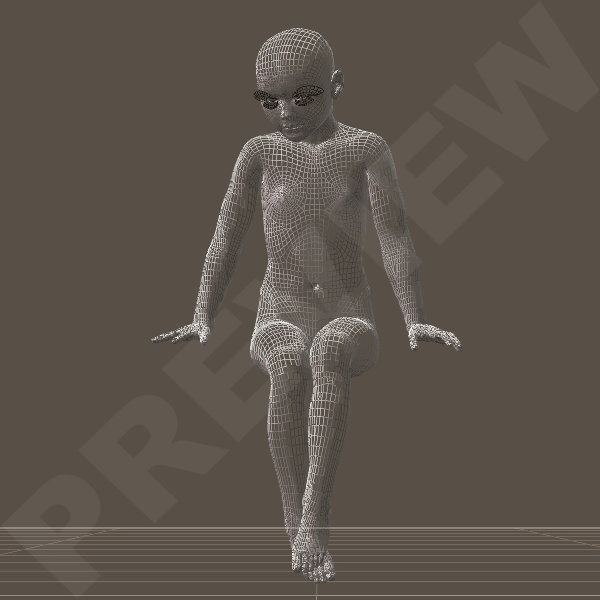
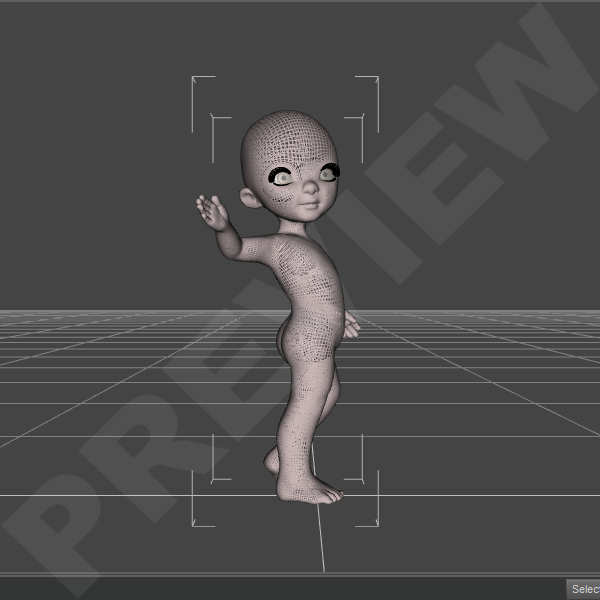
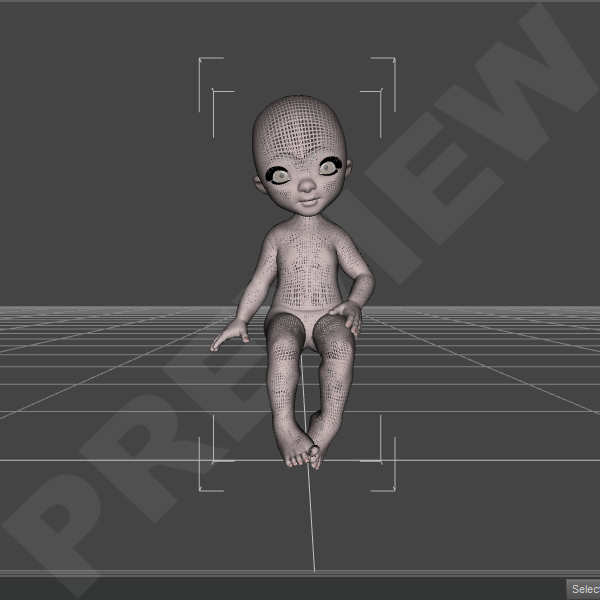
And the Queen of cuteness – LadyLittlefox – released just the thing to keep me interested creating poses for DazStudio. BuggaBoo is a cute toon character that is not as versatile as a fullgrown human character so for me it’s a great character to pose with and learn to create some Artwork in DazStudio.

I’ve created 5 poses so far, also a Default and their mirrored version so a total or 10 poses. I’m basing them on other poses I have made in the past for various other characters and I’m not yet sure as to release them as a freebie or sell them.

As always I try to create the poses to be as realistic and as detailed as possible, though with Toon character that is not easy. Toons are – of course – caricatures of the human world. They exaggerate human charactaristics and personalities and BuggaBoo surely is cuteness personified.

Even though Boo has a slightly different bodystructure then your average human figure, it is difficult to created the same human poses but not impossible. I will just have to go about it with a different approach then I normally do and that is what I need to learn if I ever want to create more animal poses and render their promo’s in DazStudio.

In the meantime I’ll continue the poses I have started for Dawn, Dusk, L’Femme, L’Homme and all the others.

Greetz
Pommerlis

What I’ve been up to….1

As always we have been moving to our “summer residence” for the summer. Our “summer residence” being a caravan with a small extension that is being renovated by us now for the past 5 years. Finally we have a gorgeous bathroom & bedroom now, still waiting for our bedside-tables. But those two rooms are finished so far and plans are being made for bringing the extension up to date. Those are the plans for the coming two years.
What I still do not have is a place for my laptop & poser stuff. So working there is still a bit improvising with what is available. If the weather is warm enough I can sit at the dining/hobby set in our semi outdoor/indoor extension of the extension. It’s the only place where we can put a dining set, it’s halfopen so it’s to cold when the temperatures are to low.
Plans are to expand the closed extension a bit so we have space for a table and chairs inside.

So in the meantime I have been making a list of what poses I can make and what poses people would like me to create. I’ve been looking for foto’s as a reference, I always use foto’s as a reference for certain poses to create them as realisitic as possible.
So far I have a small list;
1. Group poses for Dusk/other male characters.
2. Mixed group poses for Dusk & Dawn/other characters.
3. Party Poses for Dusk & Dawn/other characters.
4. Riding poses bareback and racing poses…..

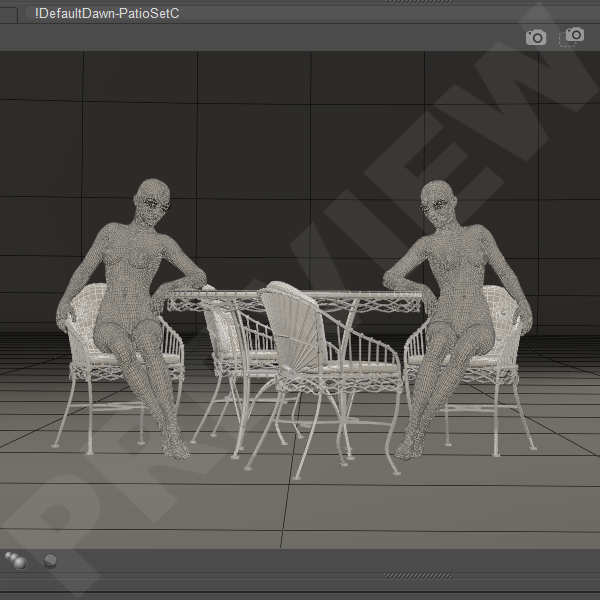
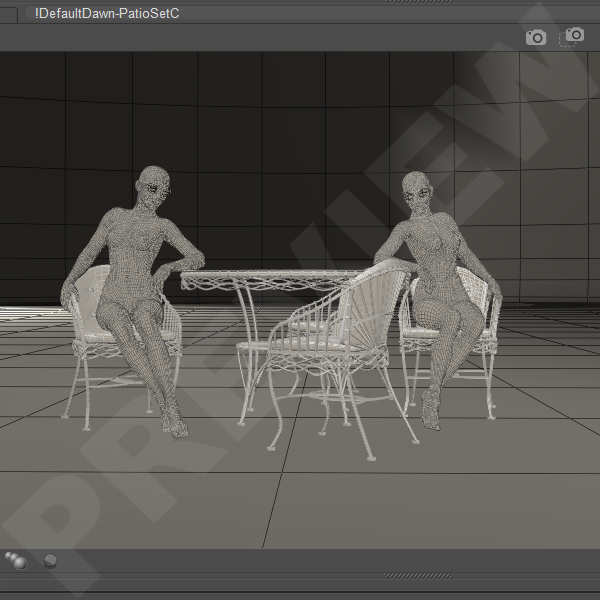
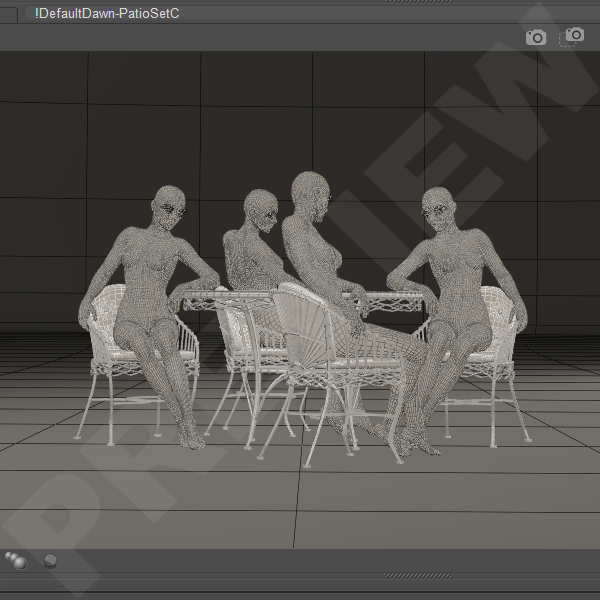
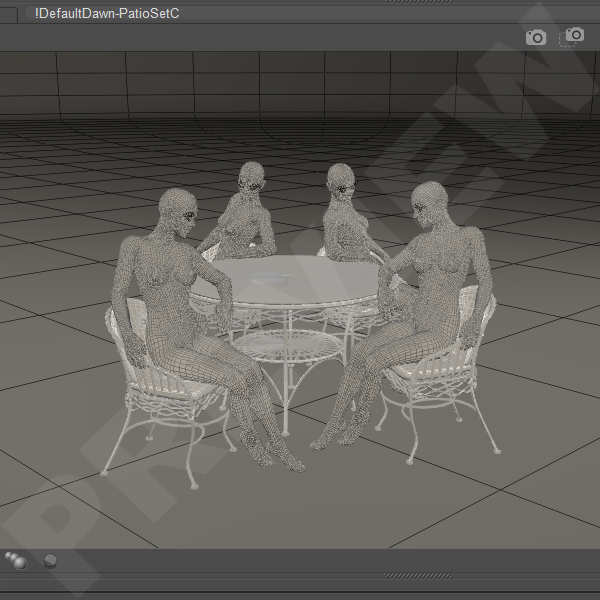
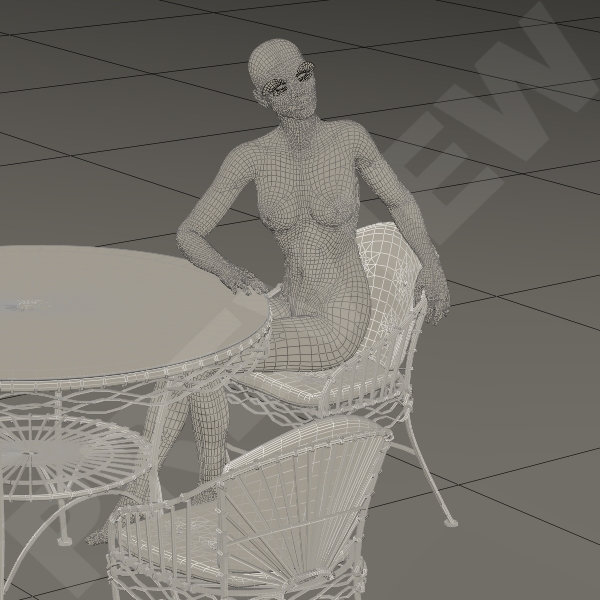
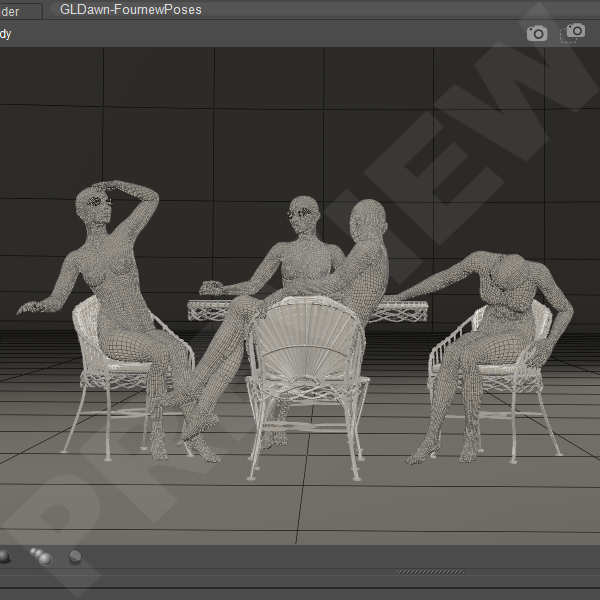
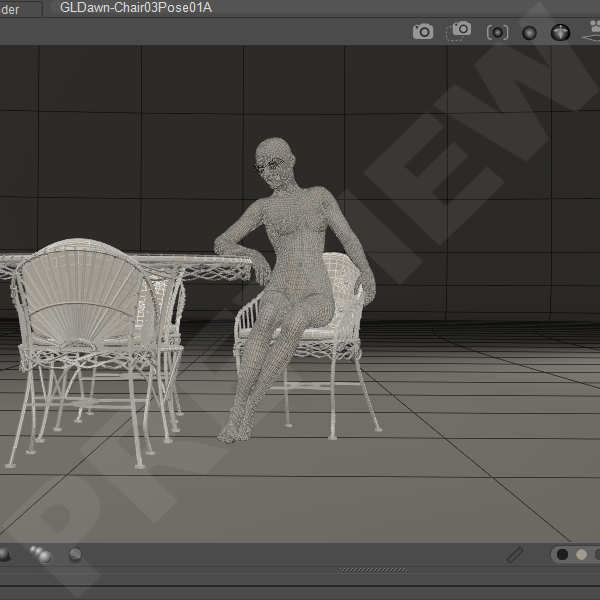
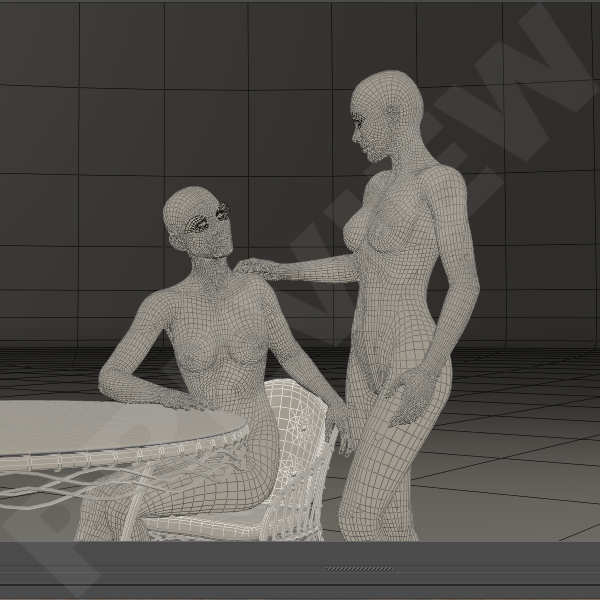
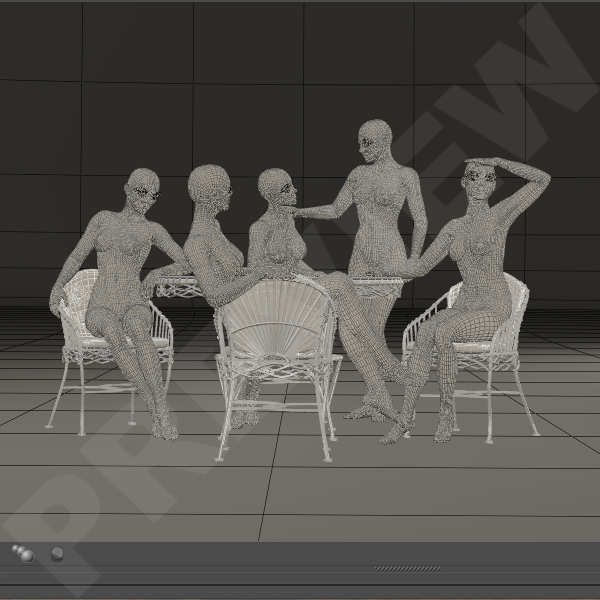
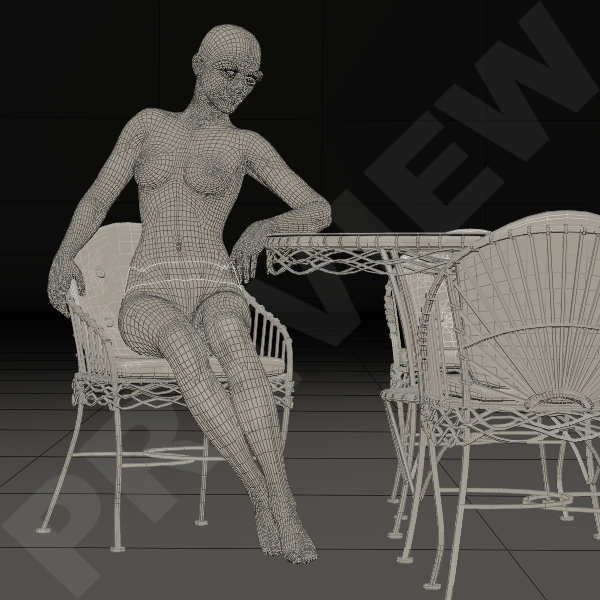
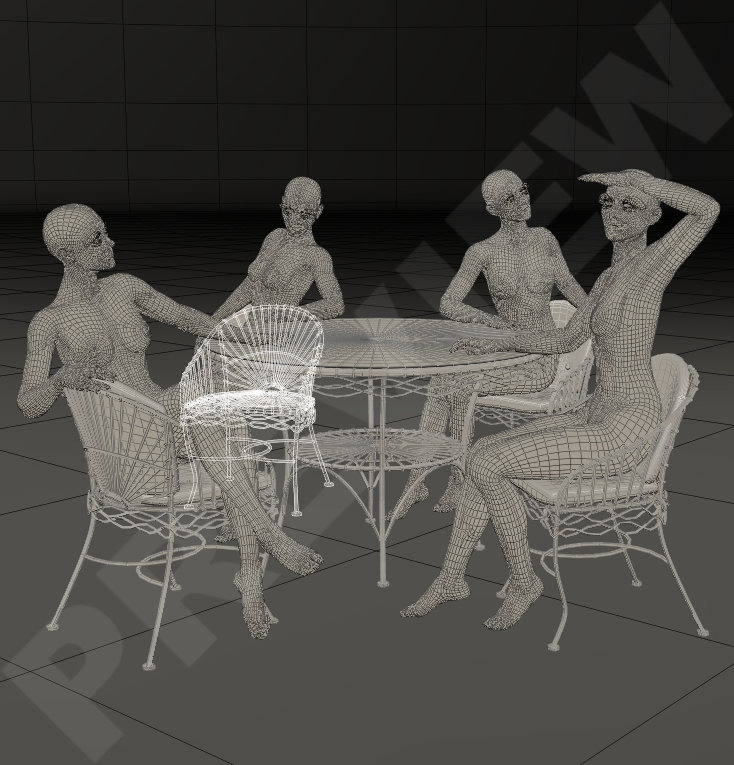
At the moment I’m working on poses for the PatioSet by Fab3D and the accesoires for PatioSet by Hivewire3D.

Initially these poses are for Hivewire Dawn & Dusk. The plans are that I will create those poses also for L’Femme & L’Homme. And who knows, I may even consider creating them for GF8 & GM8.

I’ve been purchasing some furniture-sets at Renderosity to create pose-sets for these scenes, like the Garden Fireplace by RPublishing for wich I’m planning poses aswell. Both patio-sets can be used in Poser aswell as in DazStudio so I can keep myself busy this summer.
There are some other sets I bought but if I tell you I have been looking at reference photo’s for kitchens & nurseries that should give you enought clues. Also some pictures of puppies at play should give some idea’s as to what I’m working on.

Any other suggestions or wishes for poses you may leave in the comments. I do have enough testers but I can always use an extra pair of good eyes to check my work. So, if you have Poser 11, preferably 12 and/or DazStudio 4.10 with the items that are needed to test my poses, esspecially the main characters, and you have time and motivation to test items for Poser and DazStudio you can fill out the contactform at the bottom of the page HERE.
You will receive my product for free once it has been released in store.

Greetz
Pommerlis
World in Wireframe – Poser & Daz

Animals are not always the easiest to create poses for. I want them to be as natural as possible, to honor the animal as much as possible. But they are not always the most active in the things they do. It’s not easy catching an animal doing anything other then standing, laying or just sitting. Like for example the gorilla but also deer and other herbivores that don’t do anything other then stand around ruminating all day.
Another thing I had to learn is DazStudio as I mostly work in Poser.

Esspecially when working on the King of the Forest poses my patience with DazStudio was severly tested. I always have issue with the interface.
The ball-like tool in the right uppercorner of the DazStudio workspace doesn’t do it for me so I take to the dials. Used to Poser the dials are right there, in Daz I have to make sure I select the right tab first. The tab for posing that is.
For most sets I create nowadays, I always include partials in both Poser and DazStudio.

I also, if anyway possible , create extra’s like defaults for the Lowerbodies, Upperbodies, Hindbodies, Heads&Necks, Tails, Braids and such. Sometimes I will include what you may call a ‘starter-pose’. Esspecially for a braid that is usefull. All to make it easier for people who wish to create their own poses. I know that getting started when creating a pose, especially with animals and/or certain hairstyles, can become quite frustrating when you are just new to Poser and/or DazStudio.

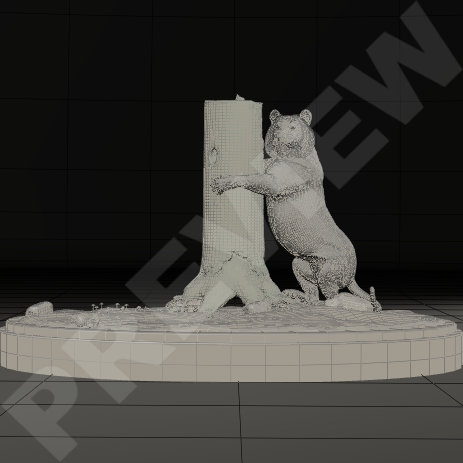
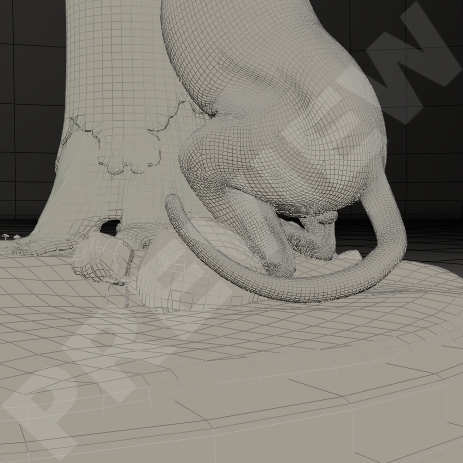
When I started a new project, poses for the Hivewire Tiger, I thought it would fit nicely with the Fallen Tree scene by Hivewire. I was creating the poses based on that scene but of course, with some tweaking and adjusting, they can be used with other tree-scenes aswell.

I thought he Fallen Tree is a great scene for a simple and nice set of poses for people to get started on creating some nice animal scenes. Fallen Tree comes in two versions, one with a base and one without a base. Of course my poses will be created for both versions.
For the Base & No-Base aswell as for Poser & DazStudio.

And since I’m saving multiple options anyway, I’ve decided to add the tailposes as a seperate option aswell. Also available for both versions of the scene aswell as the software.

As always my poses are created to be suitable for a 360° viewpoint, saved without morphs and created starting with the hip as base so the body won’t change position when the character is moved in the scene.
Saving a pose without any morphs is essential. If you save a pose with the morphs included it will have an effect on the pose if the morphs aren’t loaded. It is also important to leave all the dials for the “Body” at zero and start creating a pose based on the “Hip”. This is esspecially usefull when using the “Translation” dials. That way when moving a character in the scene with the “Body”-selected, you can keep switching poses without that the character moves back to the “zero”-position in the workspace.

Greetz
Pommerlis
World in Wireframe – Antlers

I had been waiting to purchase the newly released Mule Deer at Hivewire3D. I wanted the extra Antlers-AddOn aswell but I had to save my pennies before I could buy them. The thing is, I had an idea for some duo-poses that I really want to create.
From the moment I saw the Hivewire MuleDeer I was inspired by the deer that walk around in our own nature reserves here in the Netherlands, when they battle each other to be the favorite of the females.

When I start creating poses – for any character – I always start with collecting images of the kind of poses I want to create. I watch video’s of certain actions to get a better perception of the movement I wish to create in a pose, like I did for the ballet poses.
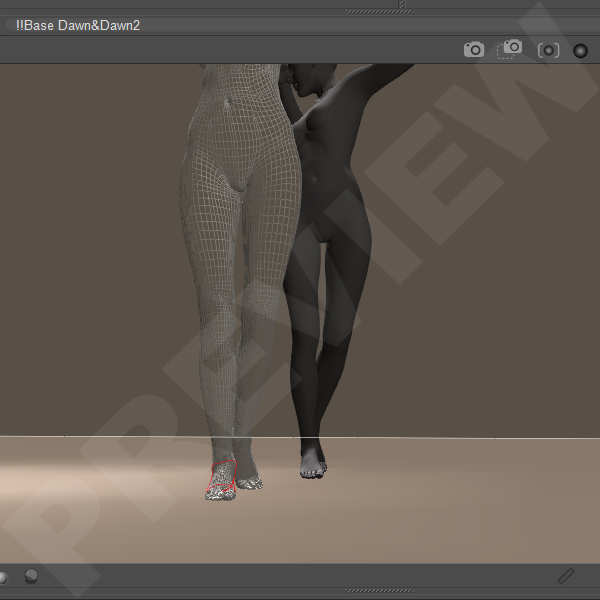
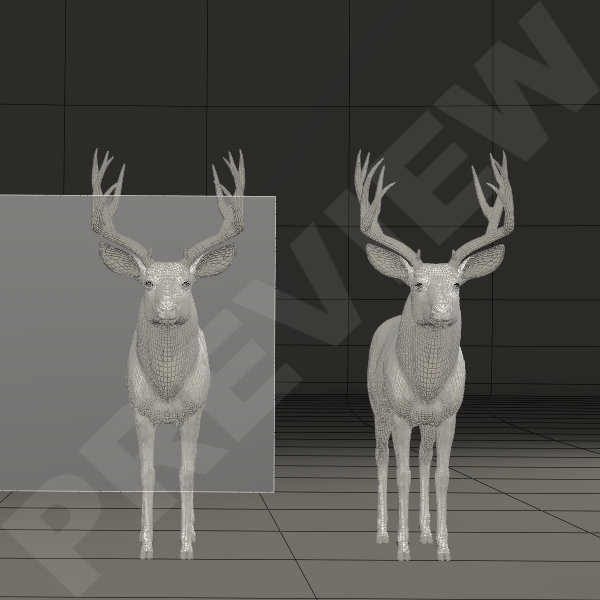
Then I make a Base-Workroom in wich I have the characters in Default and a simple Square-Plane that I use as a screen. In the Material room I project that particular image that I use as a reference for the pose.
The pose won’t necessarily be exactly the same as the photo. But it will serve as a general inspriation for the poses and a reference to how the bodies move. After all, the position of a foot starts with the thigh.

And I knew as soon as I had loaded the animals into the workspace, this was going to be a hard and difficult project. I knew, that the duelling deer wouldn’t be a real problem but their antlers would be. Because I want to have those poses with deer that carry the 5-point antlers of course. And I want the poses to be correct the full 360° round.

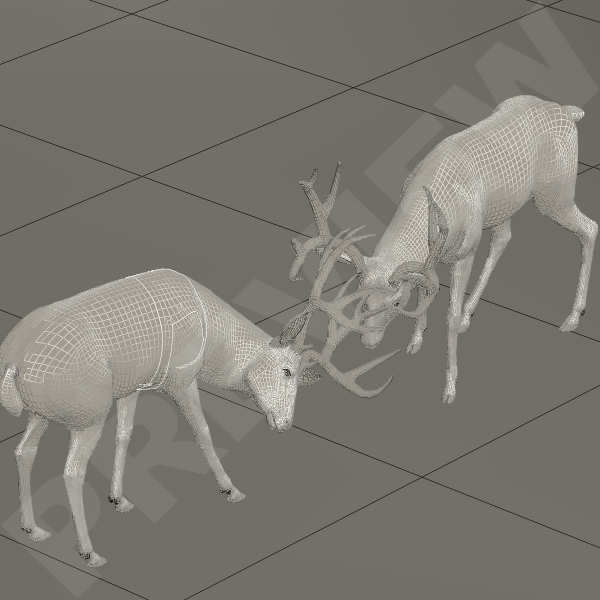
The plan is to have about 5 duo-poses in the set of the bucks duelling it out. The first pose is a simple pose to start them of and as usual I work in the Lit Wireframe mode so I can see the mesh more detailed. It always works perfect for me but this time I stumbled into a little problem with the second duo-pose.
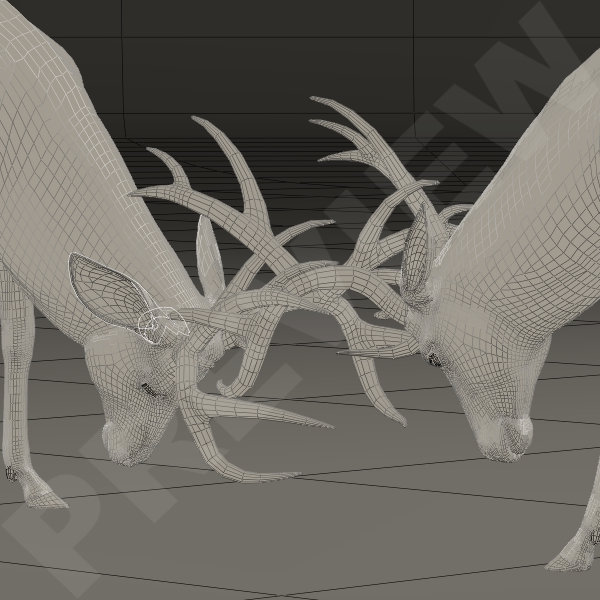
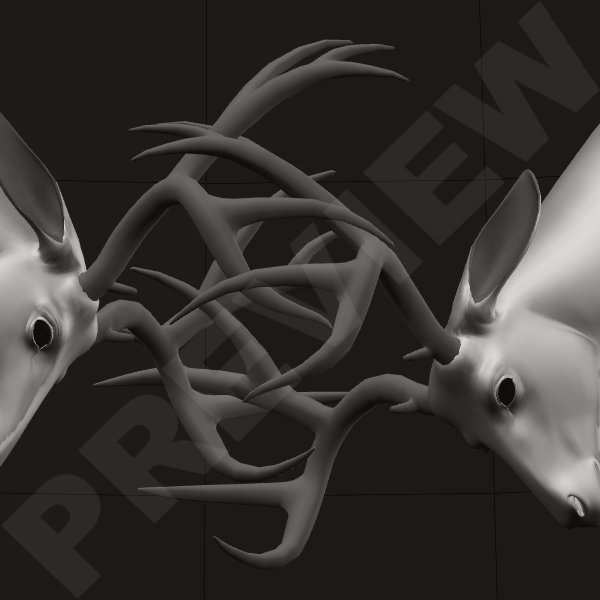
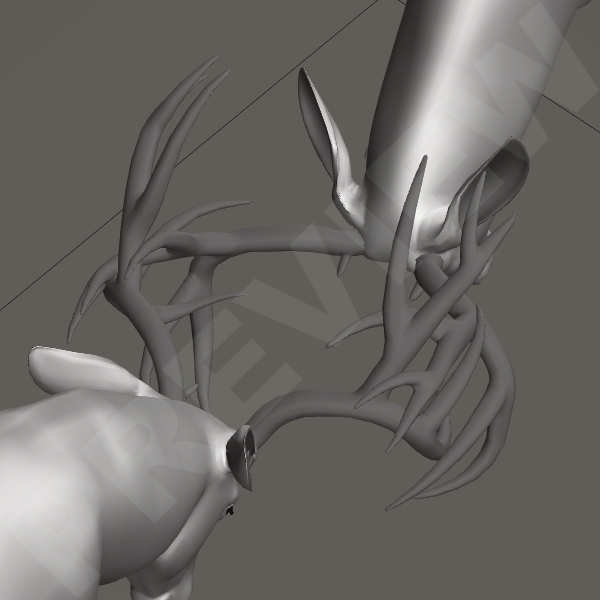
I wanted the second pose to be more of a ‘head on’ pose. Of course the antlers must interlock but not poke through each other. Here I noticed the problem that I couldn’t quite see anymore where the antlers of one started and the antlers of the other ended.
For posing the antlers I needed a more solid texture and I switched to Smooth Shaded. This way I could see better if there were any poke-throughs.

You can see the difference in the images above.
Posing the head and the antlers all starts with the Neck-parts so when I had the initial position of the head and neck – for each deer – the way I wanted, I started to have a closer look at the antlers and how they interlocked. It took alot of fiddling with the heads, very small changes of the heads Bending, Twisting or Side-to-Side motion.

It becomes extremely tricky to pose these antlers exactly aligned. At this point I no longer turned the dials, I just changed the numbers in the settings with not more the 0.100 max. or 0.010 min. at a time. This was very labor-intensive, it took hours to get it right but it was worth it.

Every now and then I would stop and have a good look around the antlers to see if they were positioned just right, without poking through. When at one point I was satisfied, I quickly saved the pose. If there is anything I have learned in the years that I use Poser is to save-save-save and save again. It wouldn’t be the first time I lose all my work because I forget to save and Poser decides to crash. And if there is one piece of advice I can give to newly starting poser addicts – or Daz addicts – is that every now and then when you are working on an image, pose, texture or anything else, safe, safe, safe!

Greetz
Pommerlis

World in Wireframe – Little Diva

Usually I work on more then one set of poses at a time. I don’t know if any other person will relate to this but there are times I don’t get any idea’s at all. Only to be followed by weeks on end with one idea after another. So when I get into that state of mind when I’m overrun with idea’s, I set them up in my favorite choice of software and I will work on them untill a new idea comes to me.
When the funk of “I can’t think of anything to create” hits, and it always does, I will go back to the first idea I had and start working on that again. This helps alot to get my muse back I must say.

So when the first set of “Little Miss Braided” was being evaluated, I worked on the “Braided Again” set and I started a “Darling Diva” folder.
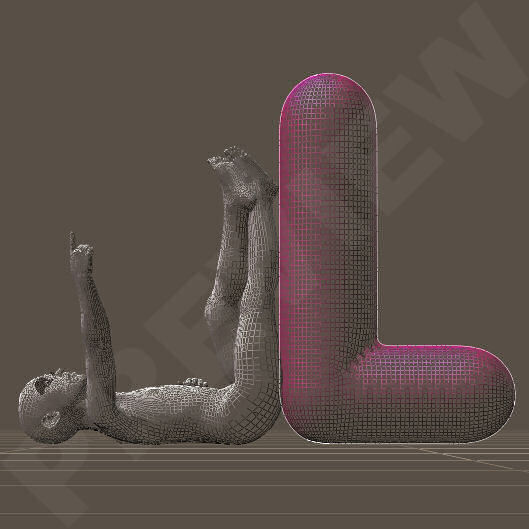
A looong, looong time ago I had a brainwave of modelling my own Alphabet and for the visitors of my blog that prop-set is freely available in my exclusive freebie-section or at the Hivewire3D forum. 
After many trials and tribulations I managed to create a very simple Alphabet. And I mean a very simple Alphabet plus the awareness that modelling maybe wasn’t for me, not at that time anyway. But who knows, I’ve been known to pick up on old idea’s and try again.

Anyhew, I made duo-poses for Kids4 with my alphabet back in the day. A boy and a girl playing with enormous letters of the Alphabet. Nowadays I create mainly poses for the Hivewire family so I figured I’d convert those poses to Diva. It’s a bit of a job, 52 poses in total so I decided to cut it short a bit and create a smaller set based on those poses.
I might get back to it and convert the set I did for Kids 4 to Hivewire Diva as a whole.

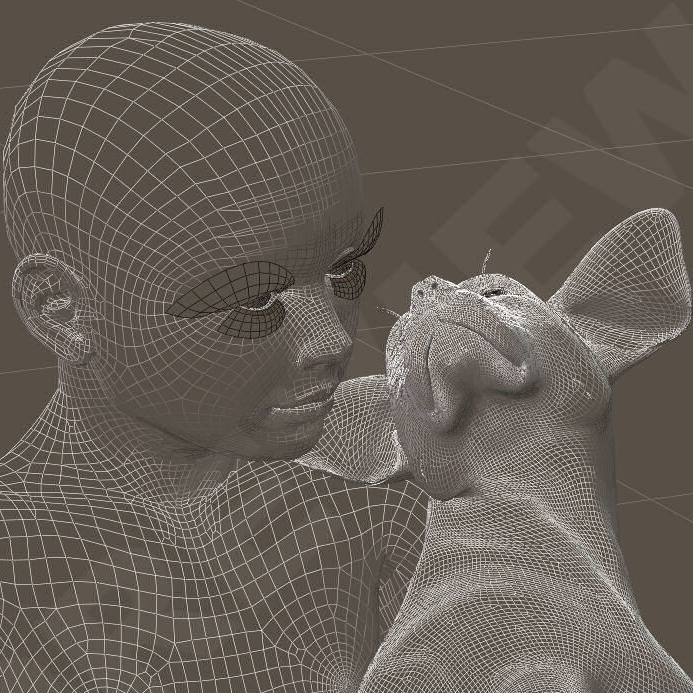
While those were being tested, a puppy was released. The cutest little dog based of the Hivewire BigDog and there was was new idea for a set of poses. I had allready released a small set for the Hivewire BigDog & Diva called Best Friends, a Sweet Deal set of 4 duo-poses. So it was only logical that I started working on duo-poses for the Hivewire Puppy & Diva.

I wasn’t not sure if this would become a larger set of poses or that I would create a smaller set as a Sweet Deal, like I did for the Best Friends-set. I decided to make this an exclusive freebie wich is available at my blog.
The poses are compatible in Poser aswell as in DazStudio.

In the meantime are the 52 poses for Kids4 available as an exclusive freebie and Darling Diva has been moved and released in my store at Renderosity.

Greetz
Pommerlis
World in Wireframe – The Braid

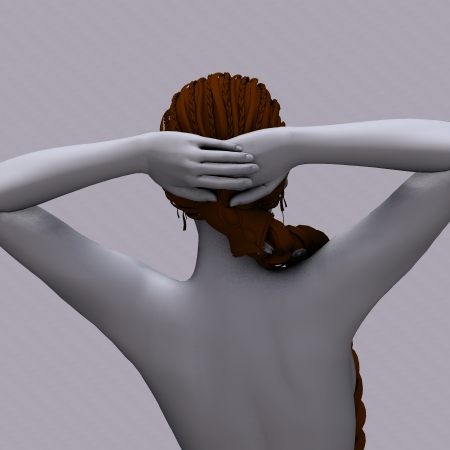
Since I started creating poses for Poser – and now DazStudio – I found that I have the patience for tails, braids and other sorts of snake-like meshes. The bending, twisting and making them curl around an object comes easy to me. I wouldn’t for the life of me know where I developed such talent and patience but apparently I do.

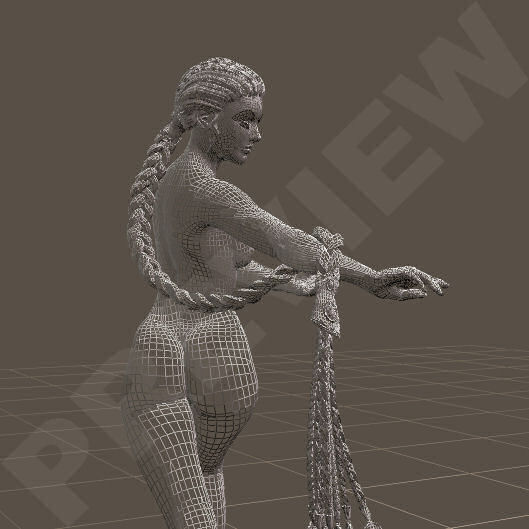
One of my latest attempts is the Dragonbraid for Dawn, a beautifull hairstyle made by Arki.
I love long braided hair like this but usually there are hardly any poses for it and they take a while to create.
I ended up creating two sets of poses for this particular hairstyle. For the first set I had some poses for Dawn in mind that would compliment the Braid, so I created some poses for her and the Braid. Then I figured it would be nice to create some poses for the Braid that would compliment the Everyday Poses for Dawn that come with Dawn Special Edition.

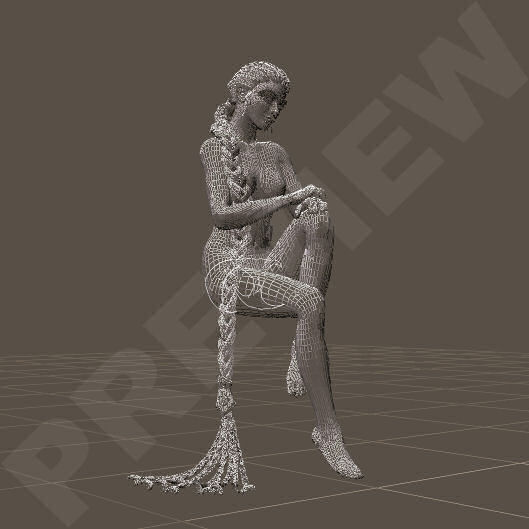
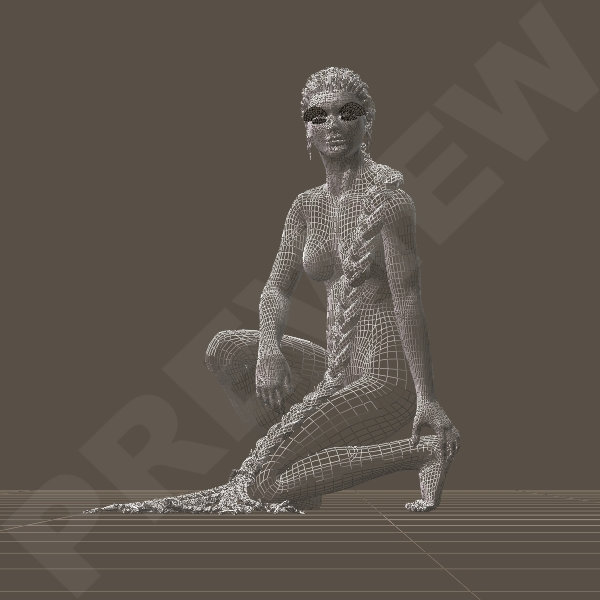
I created 9 poses for Dawn & the Braid. Can you just picture her, sitting on a large shroom as an Elven Queen? Or maybe she’s just a Maiden, sitting by a pond, dreaming of romance. When I create a pose I always do that in the wireframe view. It allows me to see a mesh without all the bells and whistles. It shows when I bend or twist, the mesh won’t fold in on itself or break. Or whether it will stretch so far that the pose will look unnatural.

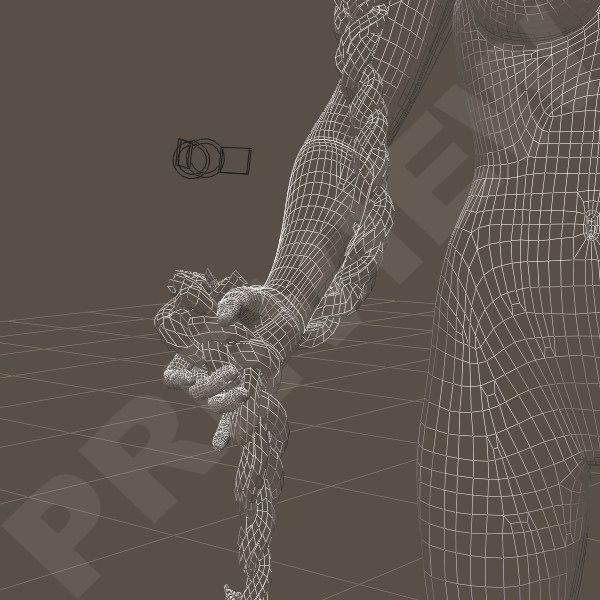
The biggest issue I always have are the hands & fingers. The way a human holds and/or grabs things starts in the shoulder. How the shoulder is positioned often determines on where and how the hands will reach, on how the fingers are able to grab an object. When I create a pose myself I can adjust the pose the way I think the ‘flow’ of the movement should be. And I always aim to create it as natural as possible. Since a mesh doesn’t have the flexibility of a human body, and then in particular the human skin, it is sometimes very difficult to achieve that natural pose.

For this set I also added poses for the Braid that can be used with the Everyday Poses that come with Dawn Special Edition. These Everyday Poses weren’t created by me so then I have to make sure that I do not change anything in the pose itself, just the pose for the Braid. That is a challenge in itself sometimes. But when the base is good, it is easy.
When I created the 9 poses for the Braid to go with the 9 Everyday Poses I also created one pose to adjust the arms of StandingPose 04.

Original EverydayPose Standing 04
Adjusted EverydayPose Standing 04

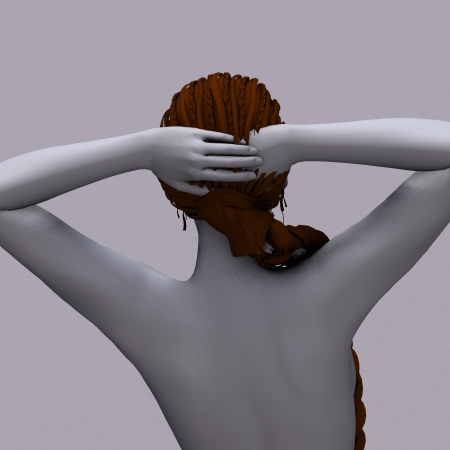
When an original pose is created hardly anyone thinks of clothing and hair that a character wears. Me included and it’s when I use existing poses to create add-ons for, such as poses for a braid, that I bump into these little jewels. I couldn’t leave this so I adjusted the positioning of the hands by change the shoulders a little. This turns the arms, leaving the hands as they are without creating weird bends or extreme side-to-side movements.  I added this to the partial poses I had allready created, two very simple “braid over the shoulder” poses to get people started with their own creation.

Now the Dragonbraid for Hivewire Dawn is no longer available since Hivewire closed their store. My poses for the Braid will retired now and maybe, who knows, made available here through this blog.

I know that the Dragonbraid has also been created for Victoria 4 and I believe is still available at Daz3D as a bundle. The poses for the Braid could probably work on the Braid for Victoria 4 but they will need some serious tweaking when used with poses for Victoria 4. So when you purchase these sets of my poses you must realize that they were created specifically for the Dragonbraid for Dawn to compliment poses for Dawn. And that they were tested specially for that.

Greetz
Pommerlis
World in Wireframe – First Steps

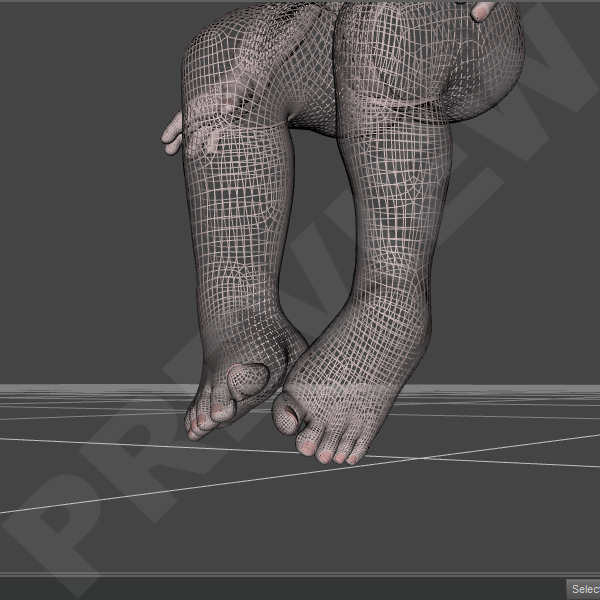
Since I started creating poses for Poser I found that I have the patience for tails, braids and other sorts of snake-like meshes. The bending, twisting and making them curl around an object comes easy to me. I wouldn’t for the life of me know where I developed such talent but when I started playing with Scampixie Pranx and created poses for this cute creature.
I believe my first set for Pranx was “Shake a Tail”, simple set of poses with mirrored versions.

Apparently the tail wasn’t a problem for me to pose. I loved creating Art in Poser – Poser 6 at the time I believe.
I didn’t have any experience as a vendor whatsoever and if it wasn’t for a friend of mine at KCTC, I wouldn’t even have considered it.
She helped me alot understanding the basics of how Poser works, how to save “poses”, how to create MT5 and MC6 materials, how to create things from scratch, by that time I had bought Poser 7.

When Elleque & Trumarcar came with their Scampixie Pranx, that was my start in creating poses and selling them. Shake a Tail was my first set but not my most succesfull one.
The first version of Pranx came with it’s own alphabet, the TrueTube Letters and I decided to create poses for each letter.
Pranx ABC was born.

It took a while to finish this set and apparently people loved it when it was finally released. It really gave me the feeling I could actually do something well in Poser. Esspecially the tailposes, wich I started to save seperately as partial-poses.

This set was large, very expanded with 26 Fullbody-Poses, 26 Lowerbody-Poses, 26 Upperbody-Poses & 26 Tailposes.
It has been retired since a while now, created in Poser 6 and only compatible with the first version of Pranx but it does have a special place in my heart since it was my first big item in store.
Now this set is available as an exclusive freebie at my Blog.

Greetz,
Pommerlis
World in Wireframe – The Beginning

     My name is Josephine but in the world of 3D Art I’m known as Pommerlis. A long, long, loooong time ago I started out with a program called PaintShopPro 9. Actually, I still use it sometimes for postwork but now I have upgraded to the latest version. That software program led to a whole new universe of 3D software such as DazStudio, Poser, Carrara, Hexagon and I was lost.
From creating very amateuristic images to creating content has been a long road but that is where I’m at today. I dare to say it out loud know, I’m kinda good at creating poses and that is what I do most. I also try my hand at textures and I have started to read & learn about modelling. This hobby is certainly expanding it’s grounds.
As a vendor I had my own store as an exclusive vendor  at HiveWire3D, where I create poses for Dawn,Dusk and all of their relatives. Human and Animals. But sadly that store had to close and I decided to move to Renderosity where I am an exclusive vendor now. So you will only find my new commercial items there.
If you are interested in visiting my store; Pommerlis.
     Though I prefer Poser have upgraded to PoserPro11.2 and purchased Poser 12, I got myself re-acquainted with DazStudio and I am slowly getting round to creating poses for Genesis. With all the new and improved versions being released I think I will choose only one of the many and stick to Genesis 8, I’m not sure though.
With the new Poser lady, LaFemme being released it’s becoming a bit flooded with all these characters. But there are still some favorite toons and I think for most of these I will create freebies wich will be available on my freebie-page at Renderosity. The more exclusive freebie will be available via this blog.
But most of my time will be spend with Dawn & Dusk anyway.
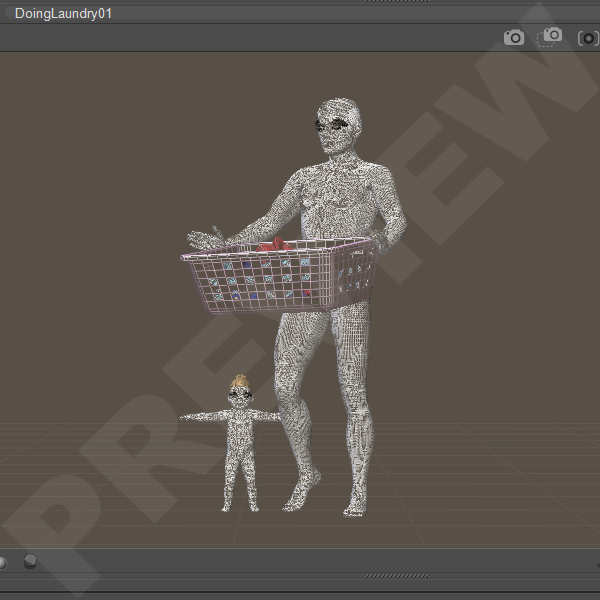
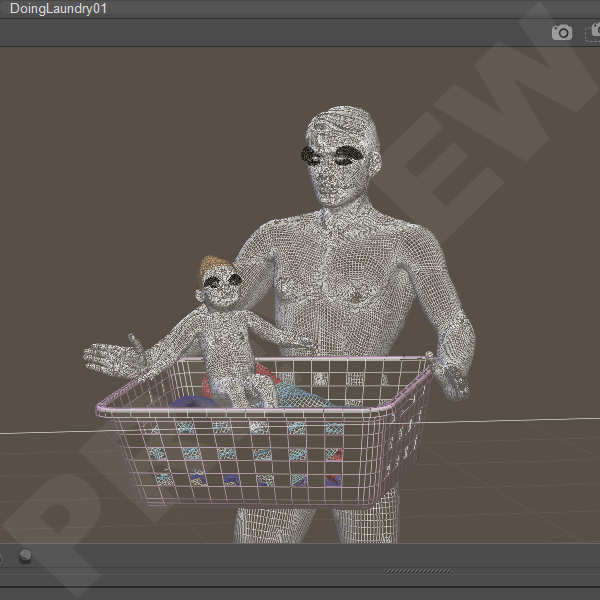
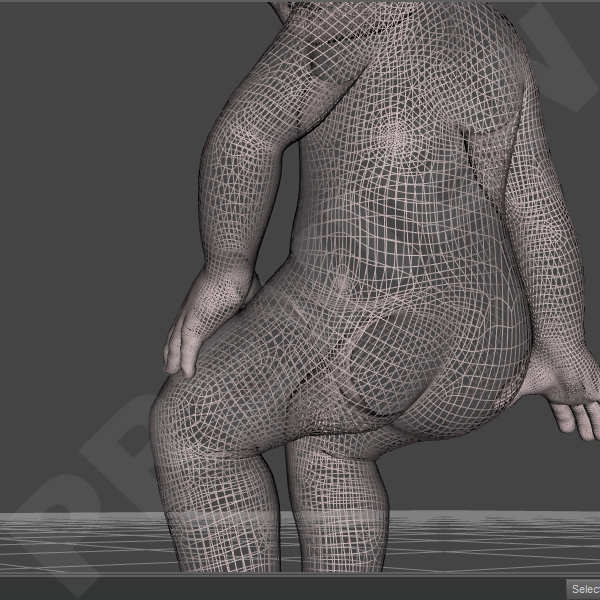
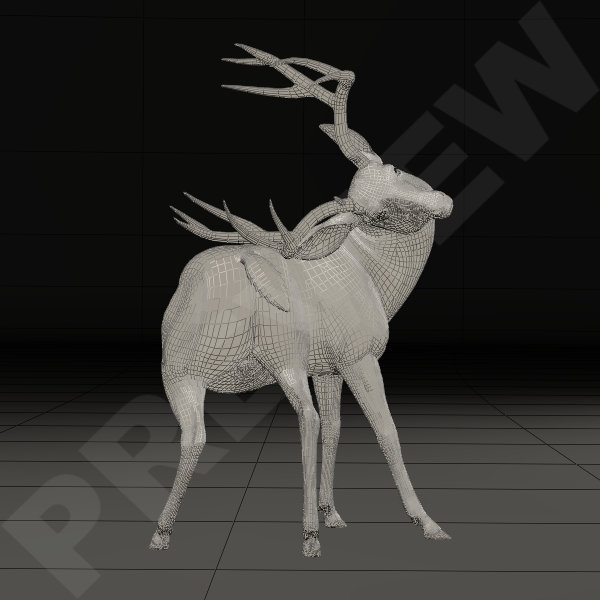
     When I create poses, I always create them in a Wireframe View, that works best for me. I don’t know why but somehow I get more detail en “flow” in the pose if I can see the mesh in it’s orginal state. So that is the world I mostly move around in, my World in Wireframe. It looks something like this;
     This is an example of one of my first sets of poses I created for Victoria 4 & Michael 4. The “Let’s dance ballroom-set”, it wasn’t my very first set. My very first poses I created as a Vendor were for Scampixie Pranx. That cute little character got me into selling poses in the first place.

When working in ‘LitWireframe’, I can see the mesh more detailed. I’m a bit of a nitpicker when it comes to these things. A pose has to be right the whole 360° round, no bodyparts dissapearing into the mesh and the pose has to be as natural as possible. And I always have a an issue with hands & fingers.

Hands & fingers usually take up most of my time. I know that there are vendors out there that can create masses of poses every single day but I can’t work like that. For me a pose has to be right, it has to look like a natural movement of the body and it has to be some sort of representation of what daily life looks like.

So there you have it, a small introduction and the beginning of my World in Wireframe in a nutshell.

Greetz,
Pommerlis